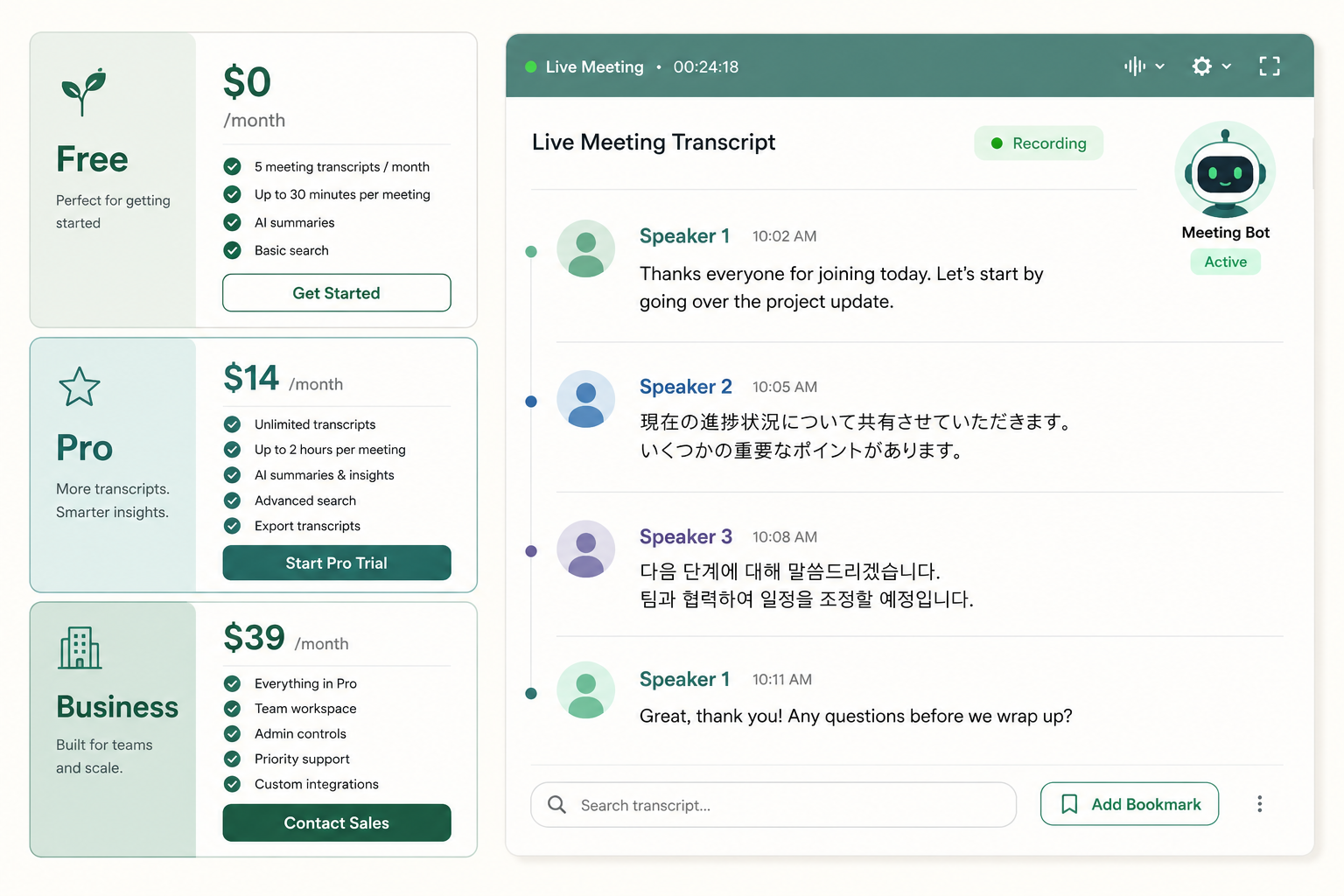
Notta is a Tokyo-based AI transcription service that's been building a meeting-notes product since 2018. It does the standard things — uploads, real-time recording, a bot that joins Zoom calls — and a few things its bigger US-focused rivals don't, like strong support for Japanese and other Asian languages. The question is whether it's worth picking over Otter, Fireflies, or a simple file-upload tool.
Short version: if you record meetings in mixed English/Asian-language environments, Notta is one of the few mainstream options that handles that well. If you're a US team doing English-only Zoom calls, Otter and Fireflies are more polished. And if you mostly upload finished recordings instead of running a meeting bot, you can do better on price.
The verdict: who should pick Notta
Pick Notta if you need real-time transcription for meetings in multiple languages, especially Japanese, Korean, Chinese, or Spanish mixed with English. It's also a reasonable choice if you want a meeting bot but find Otter too noisy in your inbox.
Skip it if you only have recorded files to upload — a per-file service will be cheaper. Skip it too if your meetings are English-only with US accents; the more US-centric tools are slightly better tuned for that.
What Notta does well
Notta covers 100+ languages, including the harder Asian language pairs, and it's one of the few tools that switches between languages mid-meeting without getting confused. That's not a feature most US blogs mention because most US blogs don't test bilingual calls.
The meeting bot is unobtrusive. It joins Zoom, Teams, and Google Meet, records, transcribes in near real-time, and posts back a transcript with speaker labels and an AI summary. The Chrome extension lets you record any browser tab, which is useful when you're transcribing something that doesn't have a native integration.
Exports cover the formats you'd want: TXT, DOCX, SRT, PDF. The web editor is responsive and lets you fix names and timestamps without much friction. For more on the relabeling work, see why AI transcripts get names wrong.
Where Notta falls short
Speaker diarization is decent but not great. On a four-person Zoom call with overlapping voices, you'll spend time relabeling Speaker 3 and Speaker 4. This is industry-wide; no AI tool gets diarization right consistently, but Notta isn't ahead of the pack here. See what is speaker diarization for why this is hard.
The free tier is genuinely limited. You get around 120 minutes a month with caps on individual recording duration, which is fine for trying it out and almost useless for actual work. The free plan is essentially a demo.
The interface leans busy. There's a sidebar, a top nav, AI summary panels, action items, and topic detection. On a small recording it can feel like the tool is doing more than the recording justifies.
Notta pricing: what each plan actually gets you
According to Notta's pricing page, the plans break down roughly like this (USD, billed annually):
| Plan | Price | Minutes | Best for |
|---|---|---|---|
| Free | $0 | ~120 min/month | Trying it |
| Pro | ~$14.99/mo | ~1,800 min/month | Solo with regular meetings |
| Business | ~$27.99/mo | ~2,400 min/month per seat | Teams |
| Enterprise | Custom | Custom | Larger orgs |
Two things to watch: caps on individual recording length (a 4-hour deposition won't always fit in the lower plans) and the fact that Pro charges per user even if only one of you is actively transcribing. If your usage is bursty — heavy one month, none the next — a subscription is the wrong shape. A per-minute service is honest math; see how much does AI transcription cost for the breakdown.
How accurate is Notta?
For clean English audio with one or two speakers, Notta sits in the same accuracy band as most modern AI transcription. Typically 90-95% word accuracy on good audio, dropping fast with bad mics, background noise, and heavy accents. Notta doesn't publish a public WER benchmark, and you shouldn't trust any provider that does without a published methodology.
What matters more than a headline number is where the errors land. Notta handles short phrases and crosstalk reasonably well; it struggles with proper nouns and acronyms, like every other AI tool. If your transcript has to be exact (legal, medical), you'll still want human review on top of any AI output.
Notta vs the alternatives
Notta's closest rival is Otter — same meeting-bot shape, similar real-time UX, monthly-minutes pricing. Otter is slightly more polished for US English and has a stronger US enterprise presence. Notta wins on language coverage. See Otter.ai pricing for the per-minute math.
Fireflies is the third in this lane. It leans on CRM integrations and sales-team workflows. If you live in HubSpot or Salesforce, that integration depth matters more than the transcription engine itself.
If you mostly upload pre-recorded files instead of running a bot — interviews, lectures, podcast episodes — the subscription math stops making sense. You'll get more value from a pay-per-minute transcription tool where you upload what you have and pay for that. We built VTS that way on purpose: no subscription, no monthly minutes, just the file.
Paste any public link or upload a file and get a clean transcript in minutes. First 3 clips every month are on us — no card required.
Should you use Notta?
Use it if real-time, multilingual meeting transcription is your actual use case. Don't use it if you're paying for minutes you won't use, or if your audio is mostly file uploads. Try the free tier with a real meeting (not a test recording) before committing to a paid plan. That's the only honest way to tell if the bot and the editor fit how you work.
Sources
- Notta pricing — current plan tiers and minute caps
- Notta features — language support and integration list
- Notta on G2 — third-party user feedback



