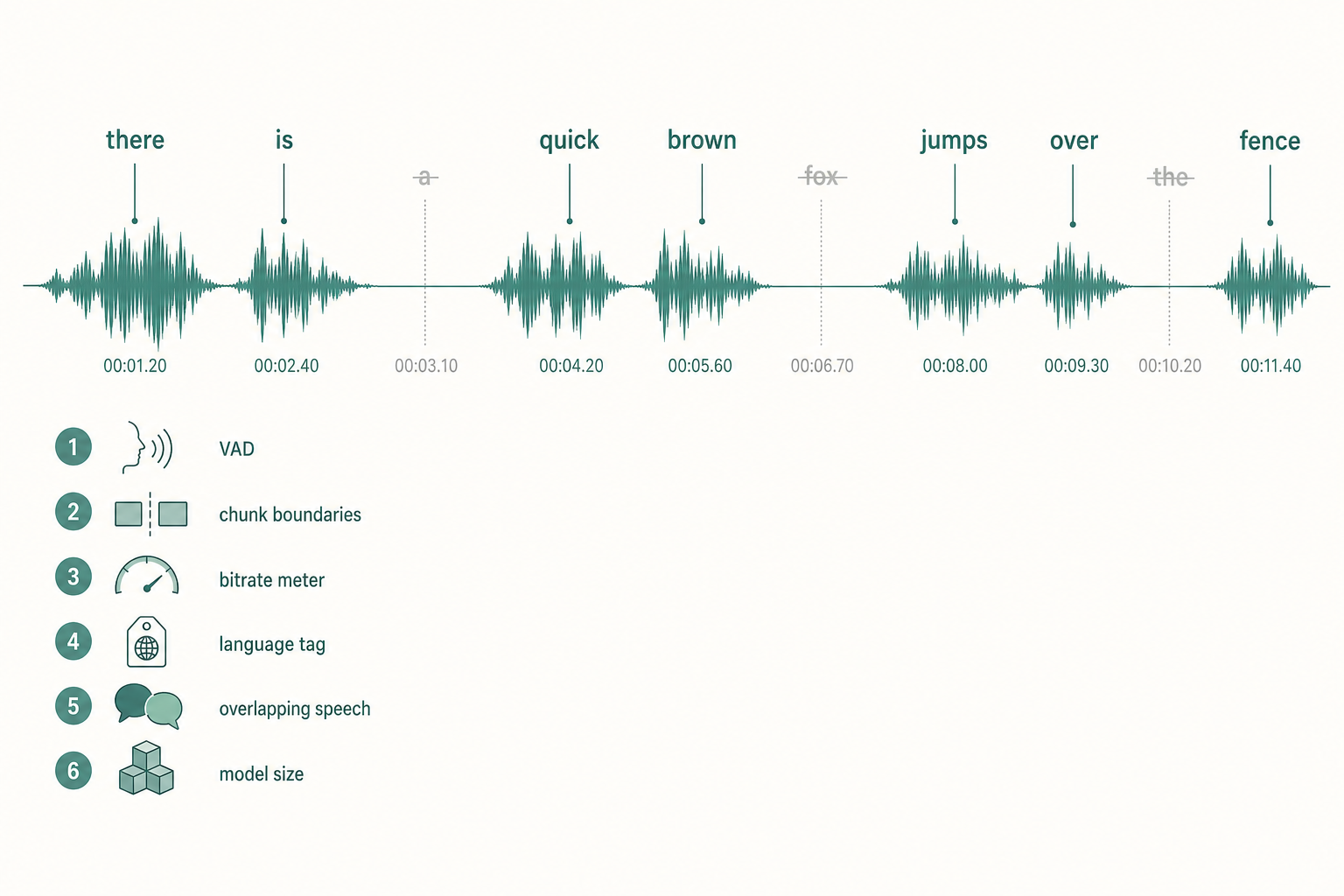
If you're running OpenAI Whisper (or faster-whisper) and chunks of your audio are coming back empty — or sentences are quietly missing from the transcript — the cause is almost always one of six things. None of them are bugs in the model. All of them are fixable in a config flag or a preprocessing step.
This is a debugging checklist. Start at the top.
- The single most common cause is aggressive VAD trimming.
- Resample to 16 kHz mono before transcribing — most issues disappear here.
- Always pass
language=explicitly; auto-detect on a noisy first 30 seconds is a trap. - For overlapping speakers, run diarization first.
- The
tinyandbasemodels silently drop content under stress.
The most common cause: silence trimming is too aggressive
Whisper-based pipelines often run a voice activity detector (VAD) before the model. If the VAD's threshold is set too high, soft speech — whispered asides, mumbled words, sentence-final tails — gets classified as silence and dropped before Whisper ever sees it.
How to confirm:
- If you're using
faster-whisperwithvad_filter=True, tryvad_filter=Falseand re-run. If the missing words come back, the VAD is the culprit. - If you're using
silero-vadorwebrtcvadahead of the model, lower the speech-probability threshold (try 0.3 instead of 0.5).
The fix: lower the threshold, or feed Whisper raw audio and let it handle silence internally.
Cause #2: long-form audio is silently truncating
Whisper's encoder processes audio in 30-second windows. If your pipeline doesn't chunk correctly — or if a chunk lands in the middle of a long sentence — the tail can get cut off and the next chunk picks up midway through, losing the words at the boundary.
The fix:
Use a chunker that splits on silence (one second or more), not on a fixed 30-second timer.
Overlap chunks by 2–5 seconds so boundary words appear in both, then deduplicate after.
If you're on faster-whisper, the built-in transcribe(..., vad_filter=True, vad_parameters=dict(min_silence_duration_ms=500)) handles sensible chunking for most cases.
Cause #3: the audio bitrate is too low
Whisper was trained on 16 kHz audio. If you're sending 8 kHz phone audio, a heavily compressed Opus stream at 6 kbps, or a heavily processed AGC'd clip, the model loses the high-frequency cues it needs for unstressed syllables, articles, and short words (a, the, of). Those are the first words to vanish.
The fix: resample to 16 kHz mono before sending. ffmpeg -i in.mp3 -ar 16000 -ac 1 out.wav. If the source is phone audio, accept some loss is unavoidable — see best audio format for AI transcription for the longer breakdown.
Cause #4: language detection is misfiring
If you don't pass language= explicitly, Whisper auto-detects from the first 30 seconds. If that window is silent, music, or in a different language than the rest of the file, the model can lock onto the wrong language. A whole speaker's words then get transcribed as garbled near-equivalents in that wrong language, or skipped as untranscribable.
The fix: always pass language="en" (or the actual language) if you know it. Don't rely on auto-detect in production.
Cause #5: overlapping speakers confuse the decoder
Whisper is a single-speaker model. When two people talk over each other, it tries to follow one and drops the other. The dropped speaker's words simply don't appear in the output.
The fix:
- Run speaker diarization first (pyannote, NeMo) and transcribe each speaker's segments separately. The workflow is laid out in what is speaker diarization.
- If diarization is overkill, use a hosted service that diarizes for you.
Cause #6: you're on a model that's too small
The tiny and base models drop content under stress — accents, fast speech, technical jargon. They'll skip words rather than guess.
The fix: use small at minimum, medium or large-v3 for anything you care about. If speed is the bottleneck, switch to faster-whisper, which gives you large-v3 quality at near-small speed on the same GPU.
A debugging order that usually works
Listen to the audio. If a human can hear the missing words, the model should too — skip ahead to causes 1, 4, or 5.
Resample to 16 kHz mono.
Disable any pre-VAD step and re-run.
Force language=.
Bump the model size.
If words still vanish, run diarization first.
If you've already changed three things at once and the transcript looks better, change back until the fix isolates to one cause. Otherwise you'll carry the wrong fix forward to the next file and waste another afternoon.
When to stop debugging and use a hosted service
There's a point where debugging costs more than the transcript. If you're running Whisper to save thirty cents on a one-hour file and you've already spent 90 minutes on VAD thresholds, the math has flipped. Hosted services handle chunking, VAD, language detection, and diarization for you, and you get the output in minutes.
Paste any public link or upload a file and get a clean transcript in minutes. First 3 clips every month are on us — no card required.
If you'd rather skip the configuration entirely, you can drop the file into VTS and get a clean transcript without writing any code.



